Kivi UI - UI Component Library
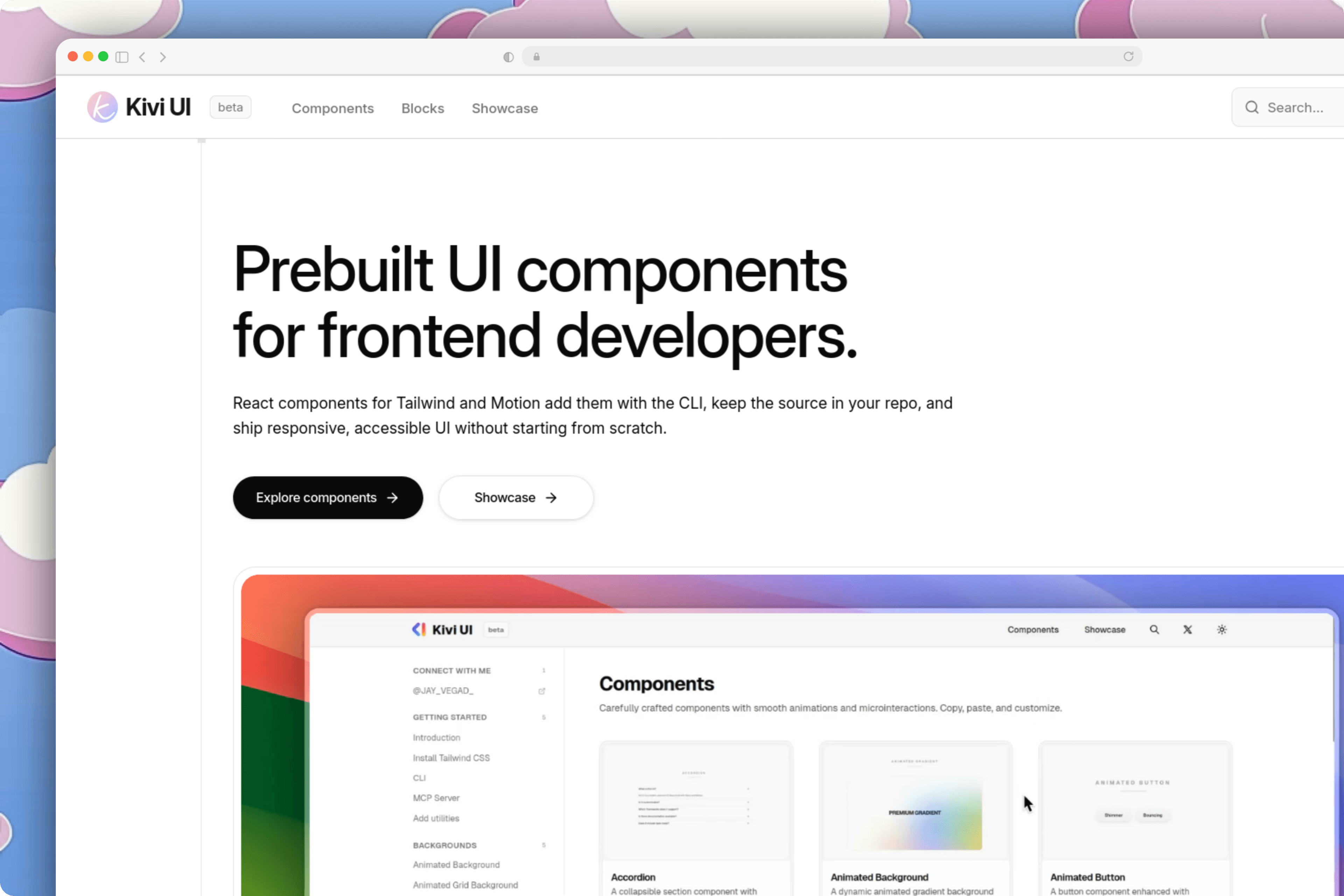
Description
Kivi UI is a modern component library designed to help developers build polished web interfaces quickly using copy-and-paste code. It is built with Next.js, React, TypeScript, Tailwind CSS, Framer Motion, and Shiki for clean code highlighting across documentation pages.
Live Project
- Live Website: Kivi UI
Tech Stack
- Frontend: Next.js, TypeScript, Tailwind CSS, Framer Motion, GSAP, Three.js, Shiki,
- Deployment: Vercel
Component Explorer & Code Previews
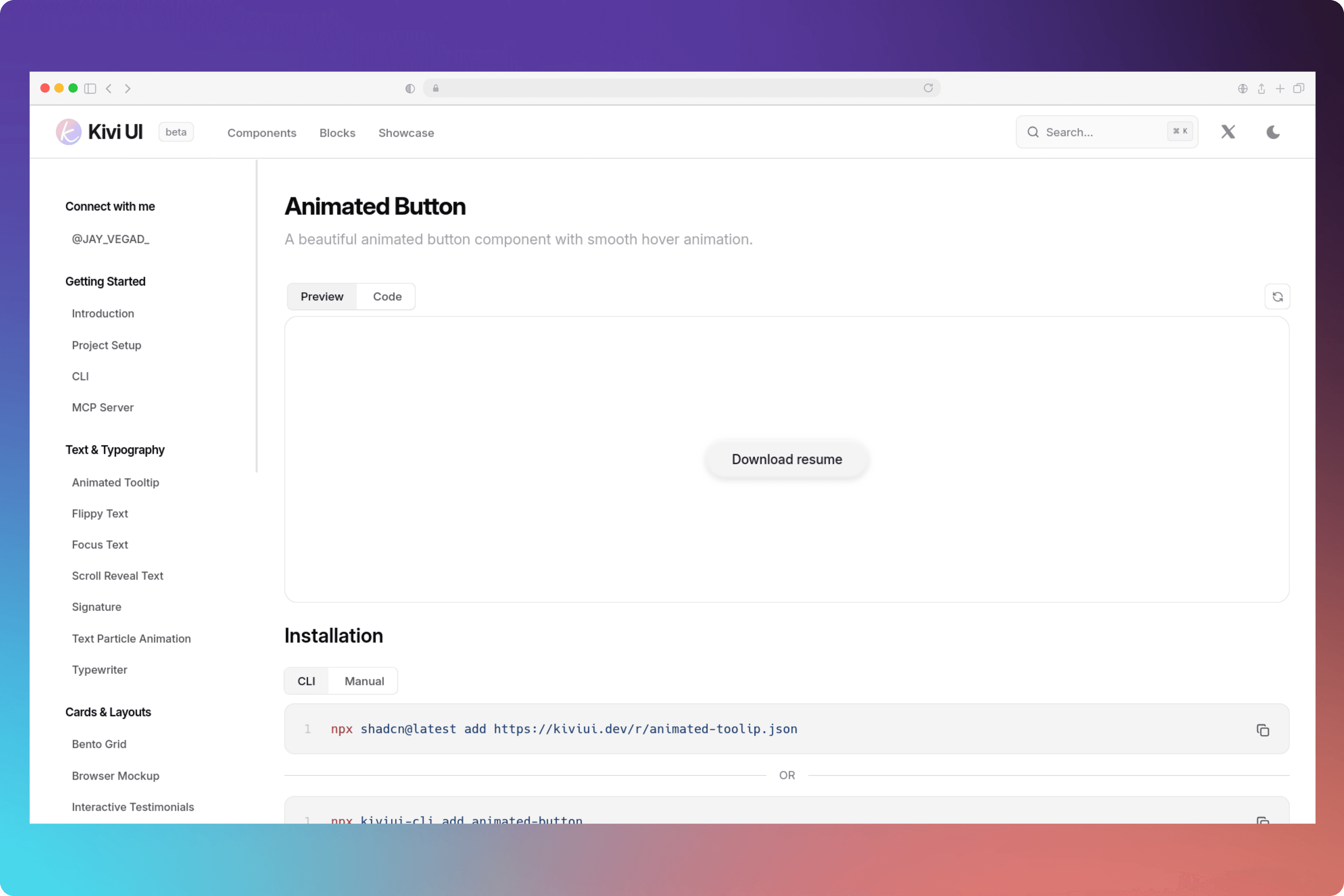
Kivi UI provides an interactive documentation flow with side-by-side live component previews and clean code tabs. Developers can switch between preview modes, inspect setup options, and copy components directly into their codebase.
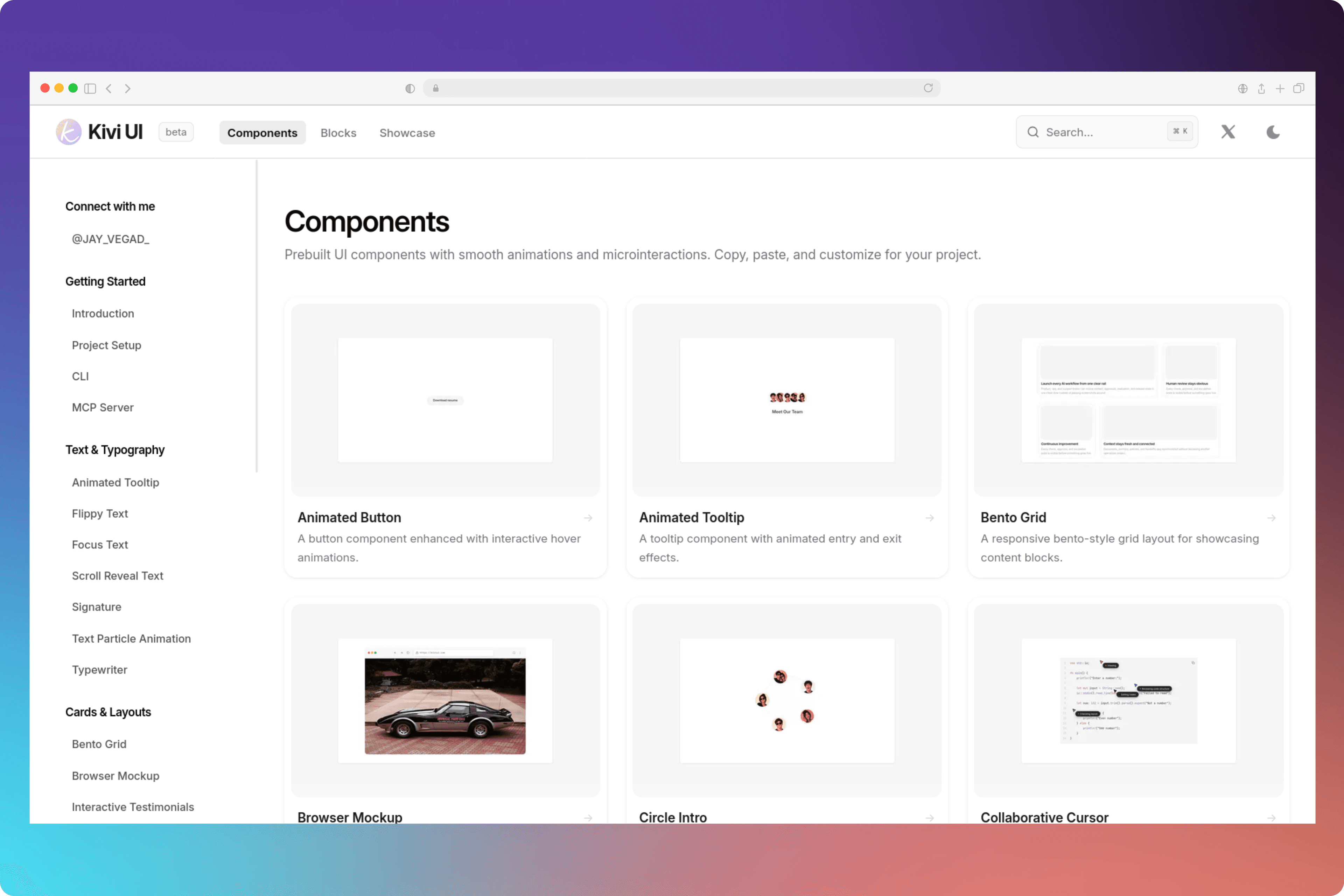
Each component page includes interactive preview controls, and step-by-step setup instructions for both manual copy-pasting and CLI integration.
UI Building Blocks & Templates
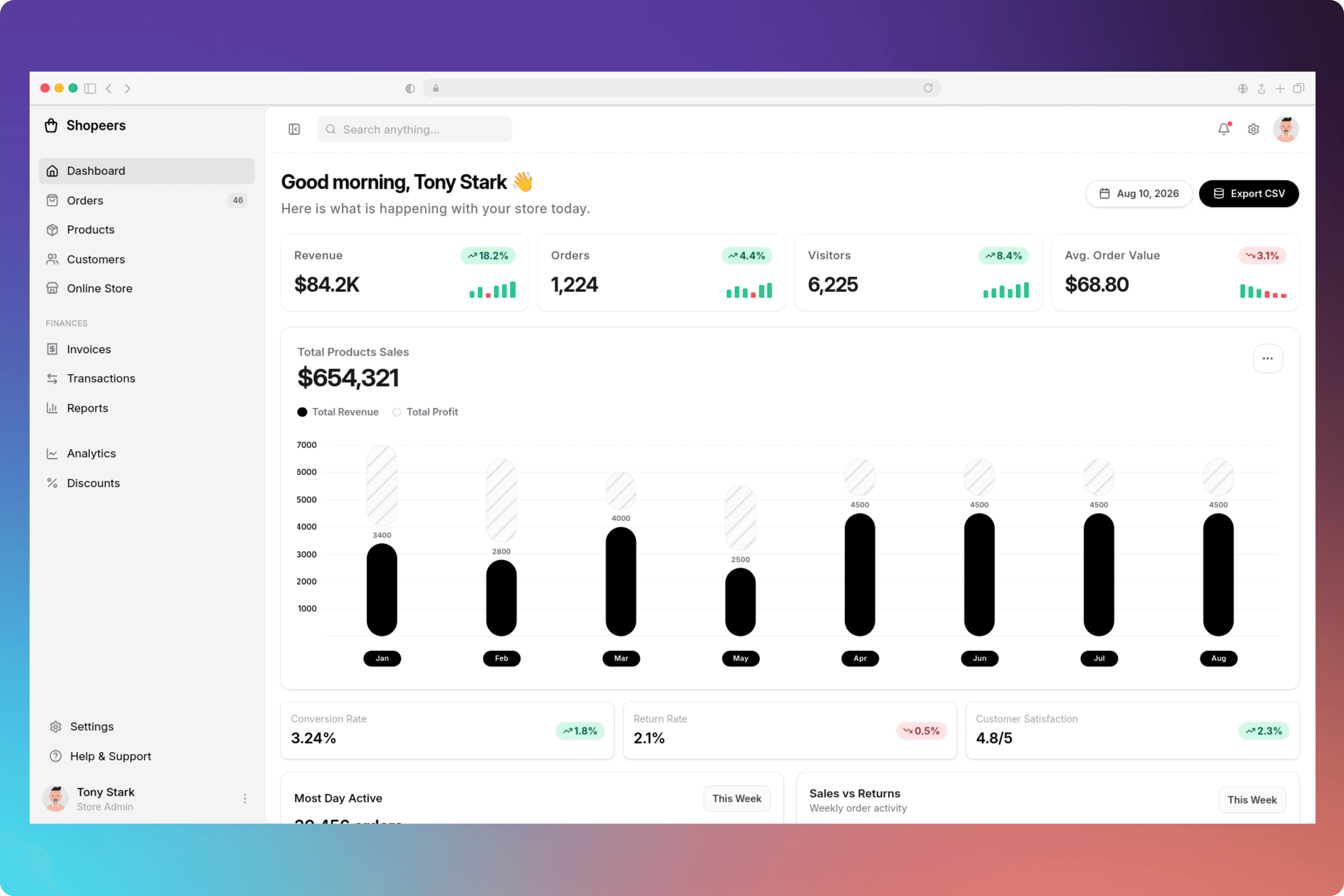
In addition to individual components, Kivi UI offers higher-level building blocks like full admin dashboards, section layouts, and production-ready UI templates to speed up project development.
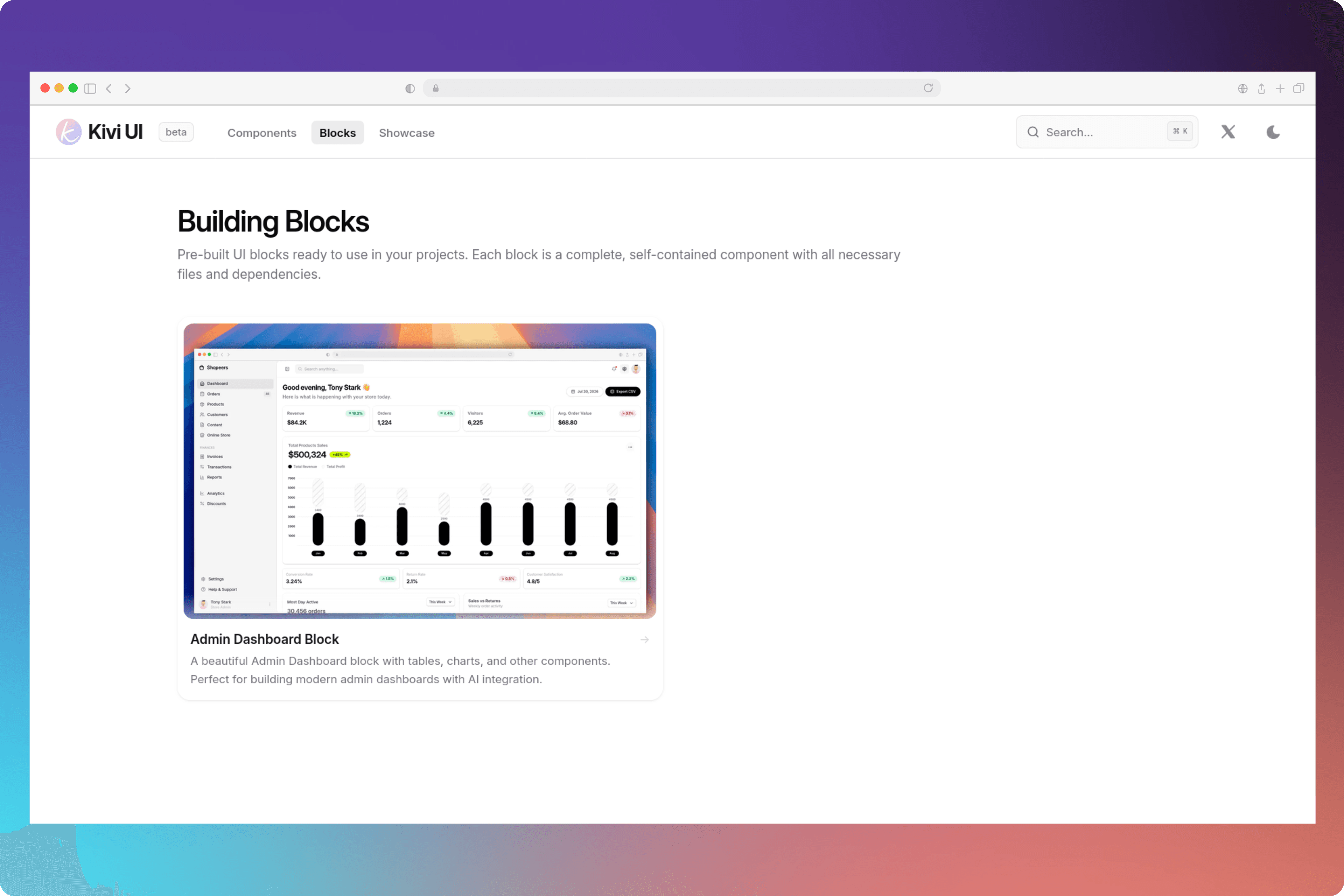
Here is the demo of the Admin Dashboard UI Block, that is build with clean architechture and proper spacing with clean UI and proper typography.
This Admin Dashboard saves lots of time of developer for building admin dashboards, this is prebuilt dashboard with the most of the features that exists in typical admin dashboards, and it is fully customizable too.
You should try it once: Admin Dashboard
Motive behind Kivi UI
When developer builds project from scratch, it takes lots of time to build the UI, components, templates, etc. So I thought, why not build a component library that can help developers to build their projects faster. A animated, modern, nice looking clean components, that helps developers to build their projects faster.
There are many component libraries into the market, they also provieds component, but their components are genral, like the same input, same button group, same cards that all are good as well, but they are use for build UI like the clean and simple login cards, dashboards, and some general working UIs.
Where kiviui helps developers to build their projects with latest animations, clean and modern UIs, and helps to stand out from the general crowd.