AWS EC2 Getting Started Guide
Amazon EC2 (Elastic Compute Cloud) lets you launch virtual machines in the cloud. If you are new to AWS, this is one of the fastest ways to deploy your first server and run an app on the internet.
This guide walks through the first EC2 launch flow and how to connect to your instance using SSH.
Step 1: Open the EC2 Service
Search for EC2 in the AWS Console.
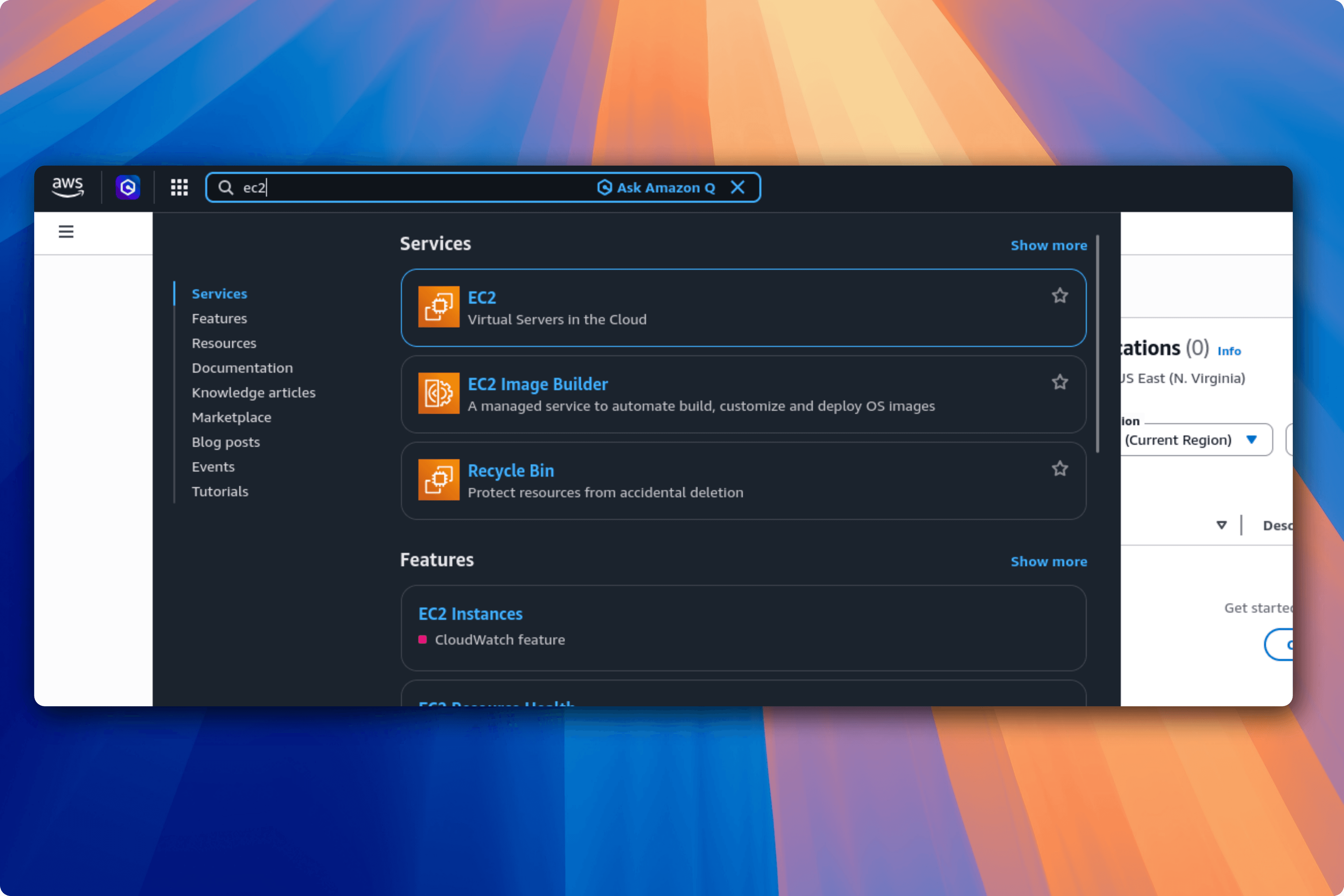
After opening EC2, you will reach the EC2 dashboard.
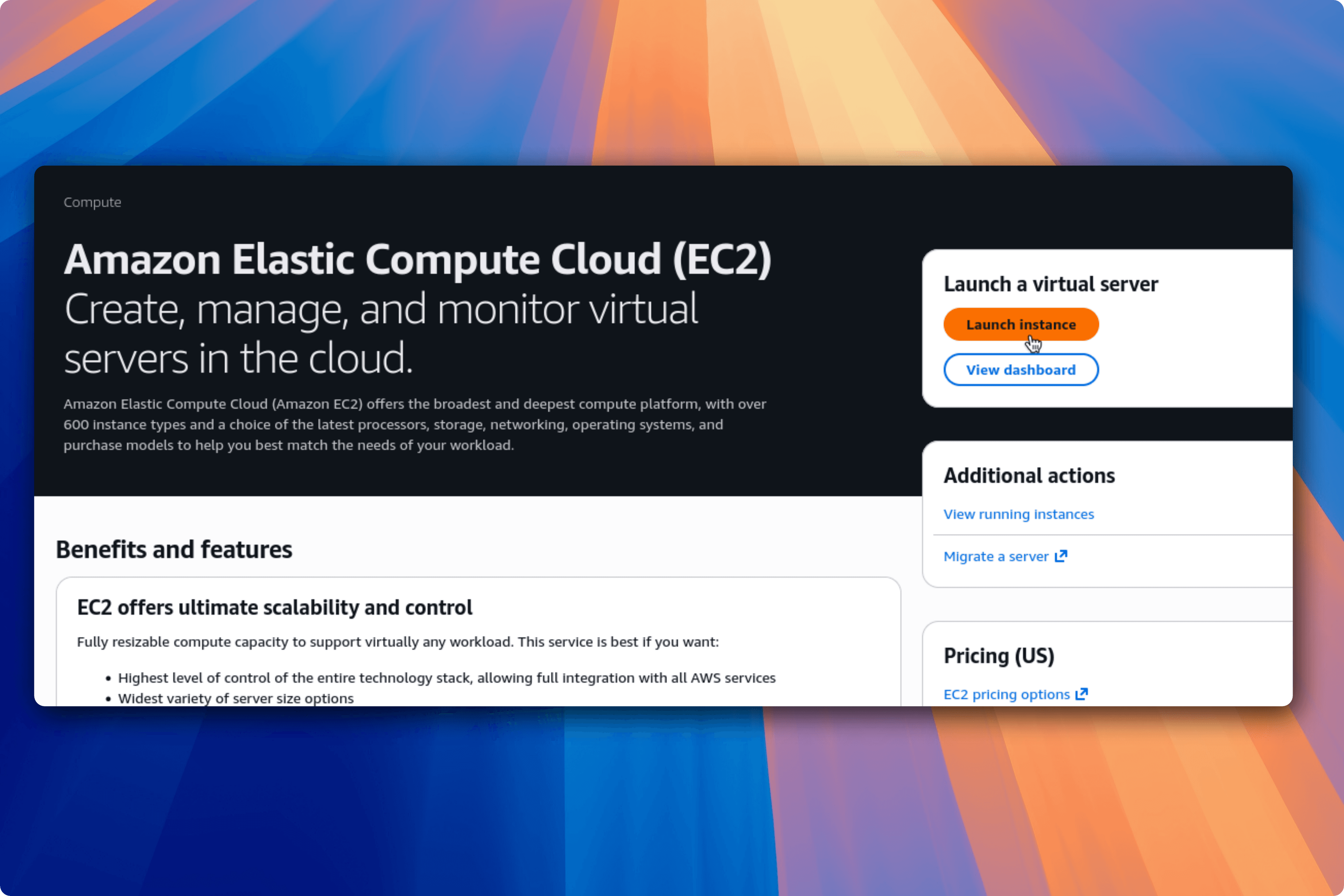
Step 2: Launch a New Instance
Click Launch instance to start creating your server.
Now fill in the required fields in the launch form.
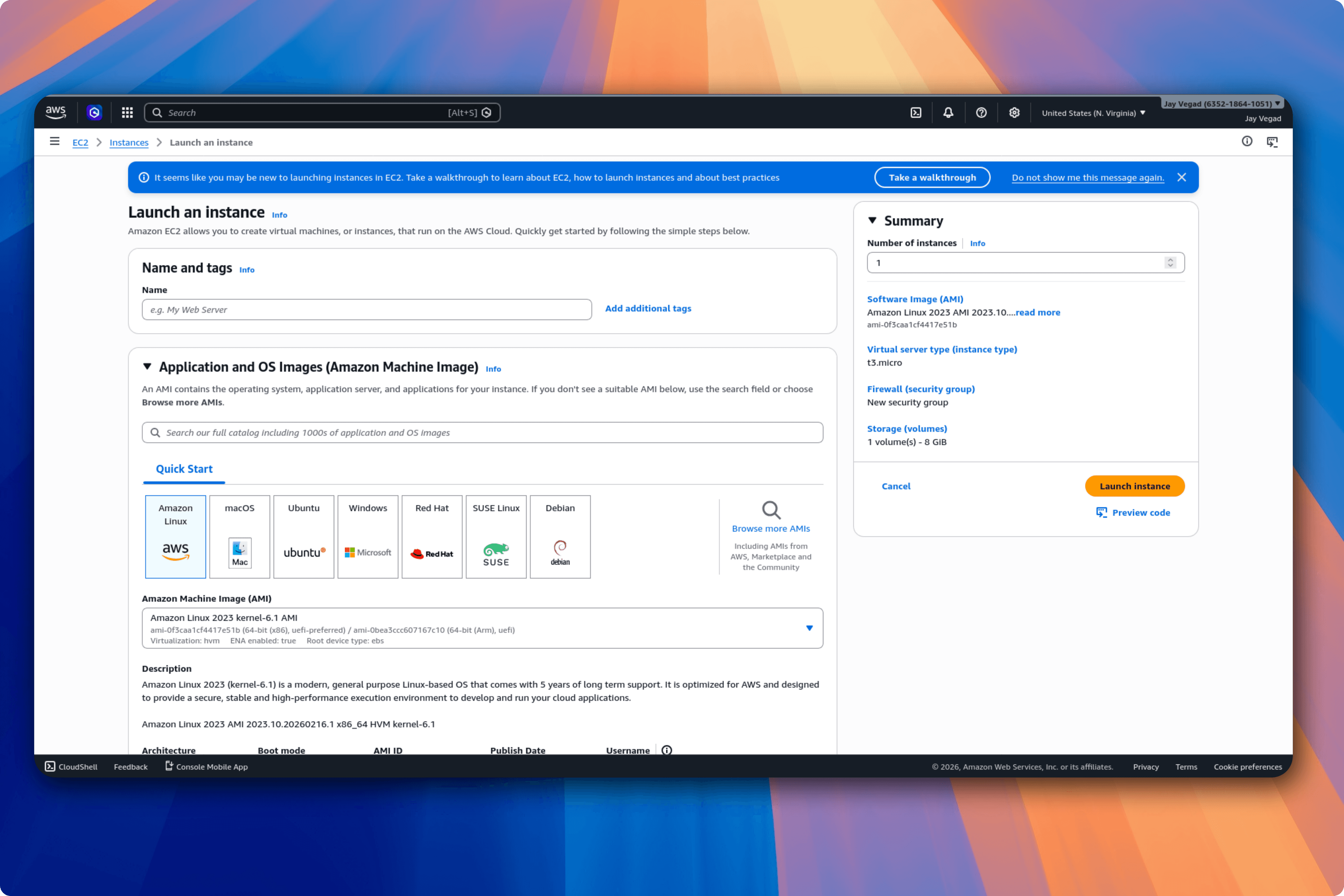
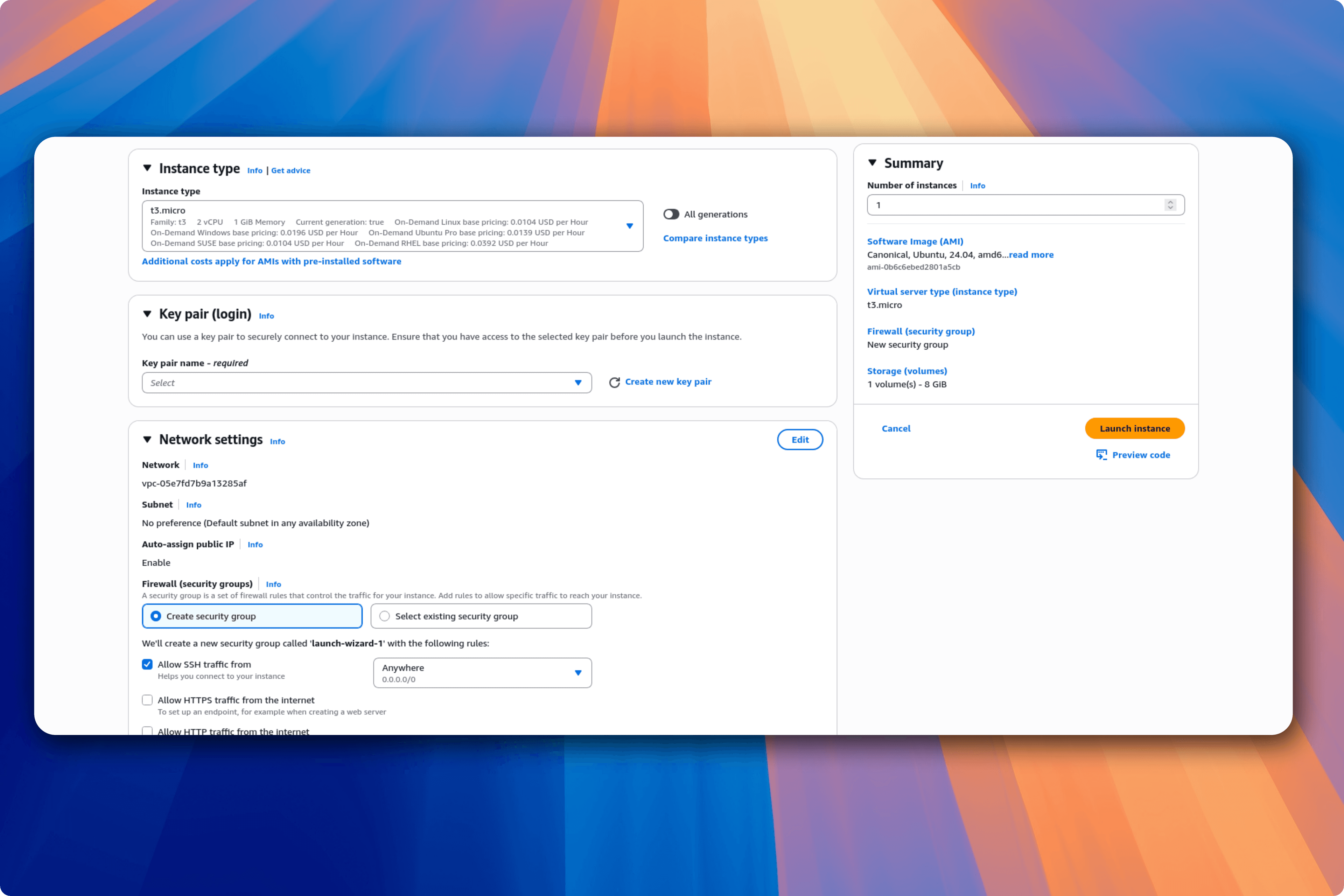
The main fields you should focus on:
- Instance name
- OS image (AMI)
- Instance type
- Key pair
- Network settings
Step 3: Create or Select a Key Pair
The key pair is important because you will use it later to SSH into your server.
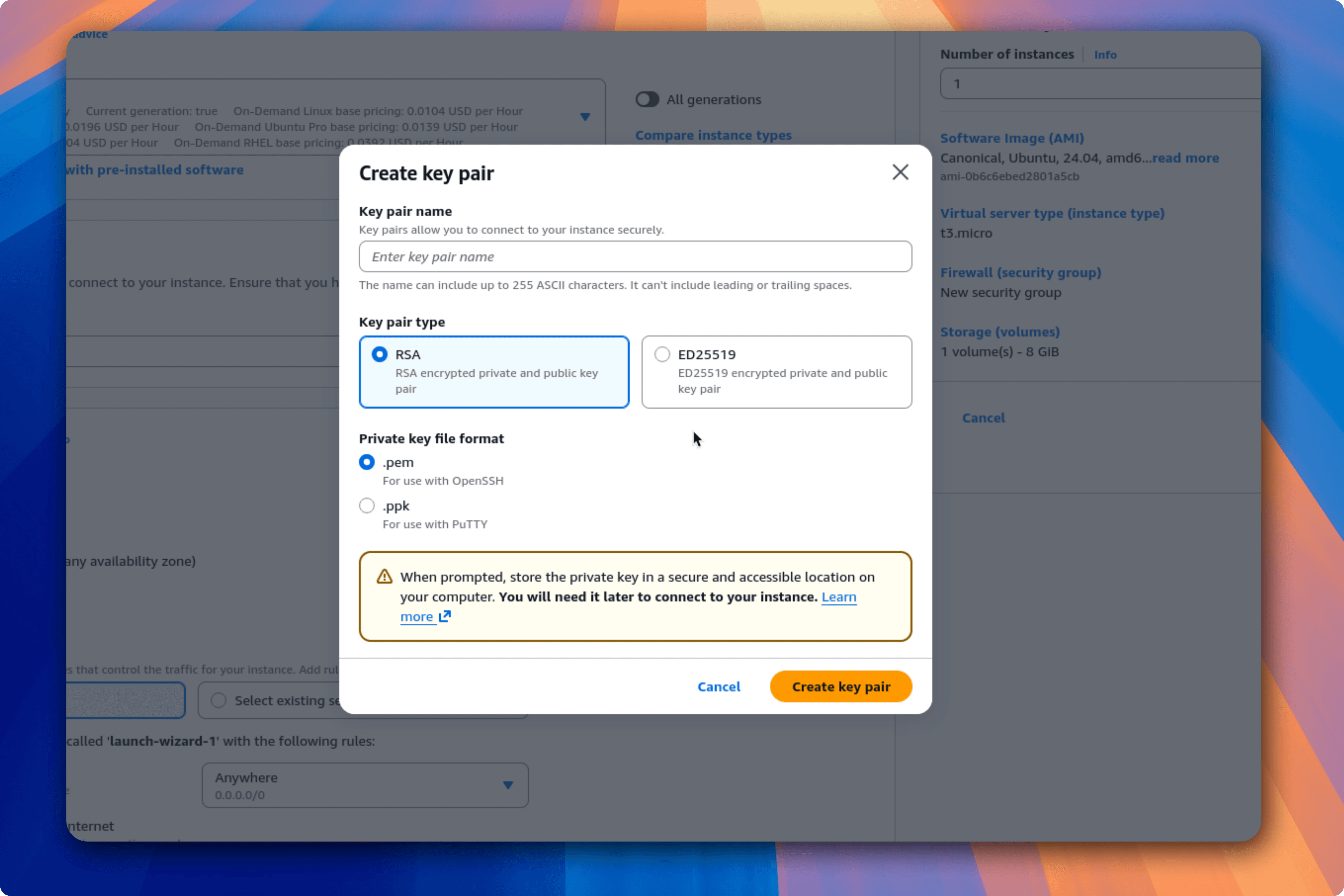
AWS commonly offers:
- RSA
- ECDSA
For beginners, RSA is usually the easiest choice due to wider compatibility and simpler setup.
When you create a key pair, download the .pem file and store it securely on your local machine.
Step 4: Review and Launch
Review your configuration and launch the instance.
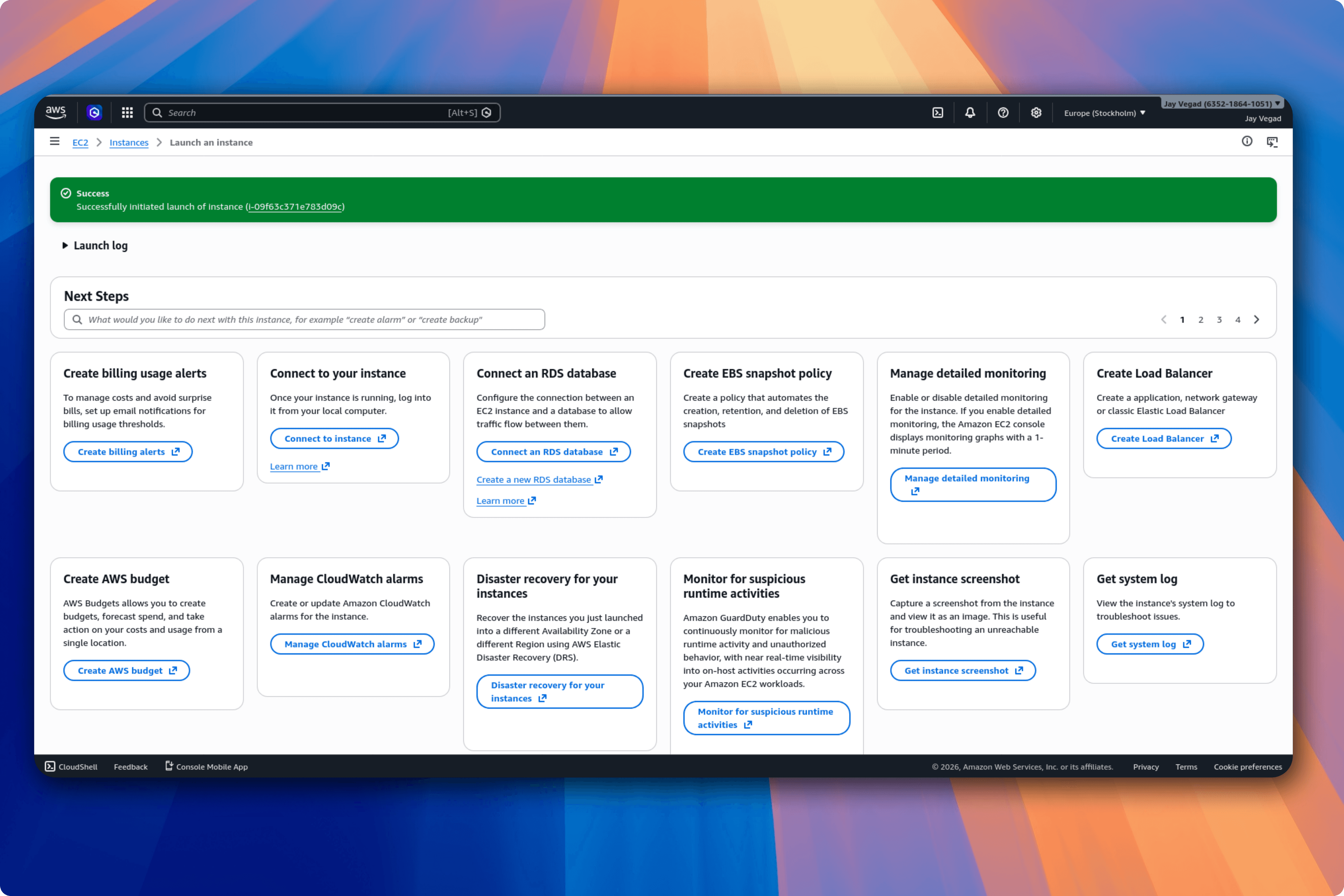
At this point, your instance is running.
Step 5: Connect to Your EC2 Server
Copy your instance public IP, then run SSH from your terminal.
For Amazon Linux:
For Ubuntu:
Example:
Before connecting, fix key permissions:
Example:
After login, your prompt will look similar to:
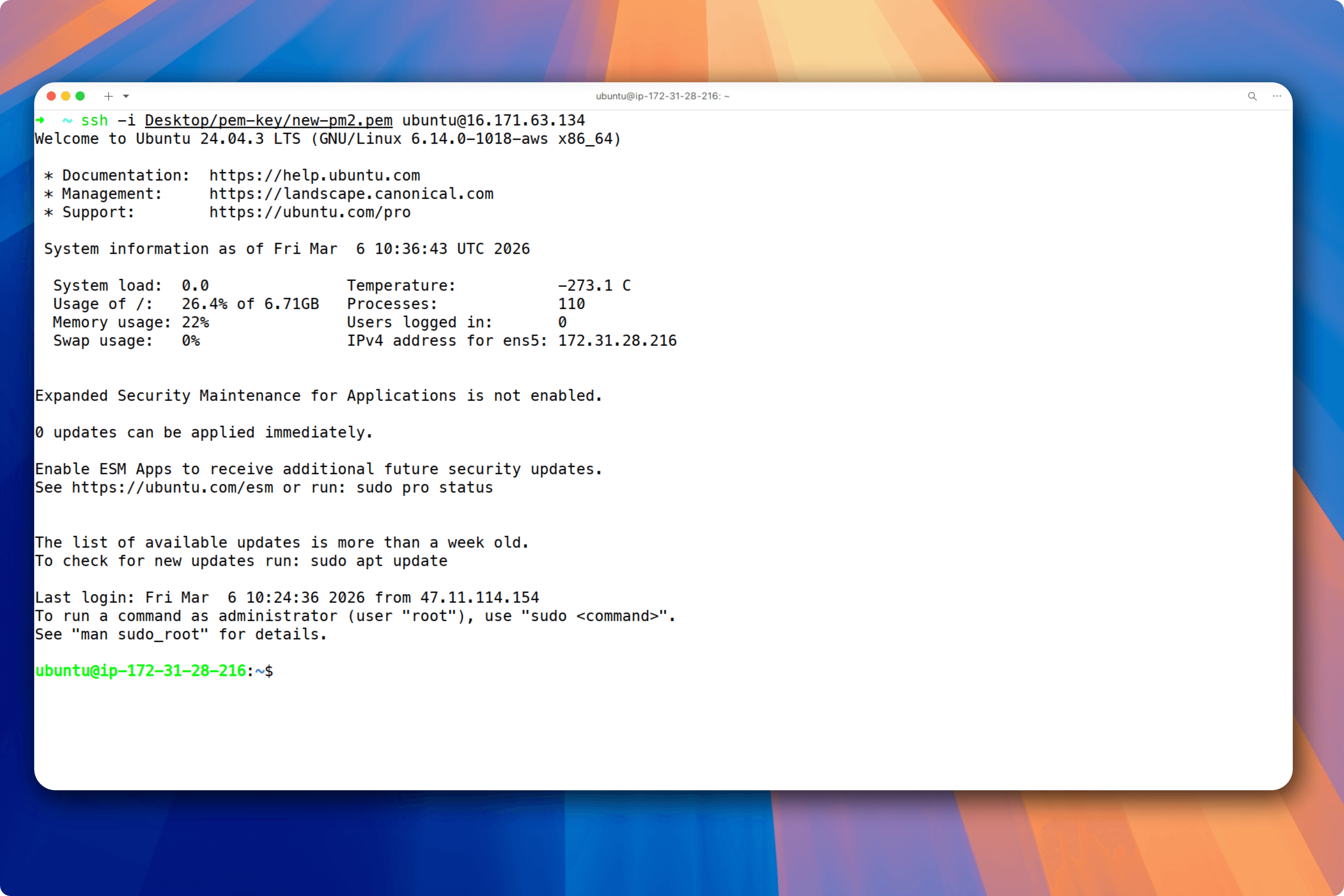
Now you can clone your repository, install dependencies, and run your app on the server.